Showing posts with label Architecture. Show all posts

Monday, May 27, 2019

Flutter - Pragmatic state management using provider.

As we know, we have to make a hierarchy of widgets to design a screen in Flutter with help of Stateless and Stateful widgets. As the names suggest, the Stateless widget has no internal state which means once built and can never be modified. On the other side, the Stateful widgets are dynamic and have a state, which we can be modified easily throughout their life-cycle without re-initiation.
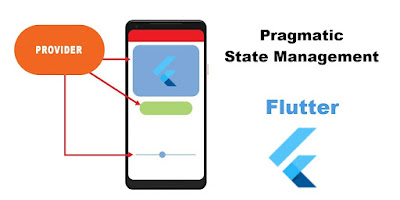
flutter-pragmatic-state-management-provider-flowThe state of widget is the information that can be read synchronously when the widget is built and change during the lifetime of the widget.  In order to change widget, you need to update the state object which can be update by using setState() function of Stateful widgets.

Share:

Sunday, May 26, 2019

Flutter - how to architect projects with BLOC pattern.

Today, whenever we start a new project. We have to focus on building a solid structure or architecture of the project. An application leads readable, maintainable and testable if you have made a clean and good architecture of an application.
Flutter framework provides us a lot of flexibility to organize and architect applications code-base. So, if you not following the proper and good architecture of the project. It may be lead to applications with large classes, inconsistent naming schemes, scary architectures.
Share:

Monday, January 28, 2019

Android - Introduction and Example of Jetpack Navigation Architecture.

Today, All mobile application contains more than one screens to provide all necessary feature to the end users. Like user can move from splash screen to home screen.

jetpack-navigation-architecture-graph
From this home screen, the user can perform other tasks that show a result in other screens. These screens will usually take the form of activity and fragment within the app. An end user can navigate on all other screens with the help of screen gestures, button clicks, and menu selections. All of the work involved in navigation between destinations and stack that is handled by a navigation controller. Without navigation, we have to write a very big manual code to move from one screen to another screen that creates complex navigation paths.
Share:

Get it on Google Play

React Native - Start Development with Typescript

React Native is a popular framework for building mobile apps for both Android and iOS. It allows developers to write JavaScript code that ca...