Saturday, March 30, 2019

Flutter - Custom red error widget screen.

When you started work on Flutter application screen design. You definitely face a red screen that shows UI error. It is most irritating and makes us unhappy when you are a beginner.

In Flutter, it’s important to understand how your user experiences these bugs and where those bugs occur. How we can find the bugs with the highest impact and work to fix them. Sometimes, it's necessary to show a meaningful message to make it more sensible for the tester and developer. Flutter framework provides us customization feature to handle these error widget. According to the docs, Flutter shows red screen error whenever a widget fails to build. There is a performRebuild() method inside of StatefulWidget.dart class that invoke to build the widget.
performRebuild
@override void performRebuild() { //..// try { built = build(); debugWidgetBuilderValue(widget, built); } catch (e, stack) { built = ErrorWidget.builder(_debugReportException('building $this', e, stack)); } //..// }
As we can see, the red screen error is nothing but a widget named ErrorWidget provided by the framework. The ErrorWidget will be invoked only when a widget building fails. When widget building fails, Error Widget replaces with your widget. That’s why it's visible only in the area occupied by the widget that has failed to build.

Share:

Sunday, March 24, 2019

Flutter - Localization or Multi Language support with Examples.

If you have created a mobile application and you want to increase users of the mobile application. So, we need to support multiple languages in our application. In mobile, with the help of localization, you can change the language of application labels and we can render the content of the app into other languages. We can customize the app for each target market and user.

We can display dates, times, and numbers in particular user readable formats. Android and iOS is the most popular mobile operating system and it runs on millions of devices in many regions. So, if we implement an app which is localized for all the regions, then it will reach most of the users. 

Share:

Friday, March 15, 2019

Android - SMS & Call Log permissions are removed.

Sms and call logs are one of the most sensitive information in the smartphone. They hold lots of information like your phone number, conversation history, and the personal information of other people in your phone. 

Google is day by day updating their policy to protect them. Google's Play Store policy has changed for SMS and call. Google has denied the request permission for SMS and call log. Google removing all the apps that require SMS and Call Logs permissions from the Play Store.  

Google published new guidelines regarding SMS and Call Permissions. According to their new policies, only an app that has been selected as a user’s default app for making calls or text messages will be able to access call logs and SMS, respectively. To read more about their announcement, please see the following link: Security and performance 

Android app developers who have such apps on the Play Store have been notified through e-mail and their apps will be removed unless they have submitted a permissions declaration form. Google has stated that only those apps that require access to call logs and SMS for their functionality will stay put on the Play Store, while all others requiring these permissions will be removed.
Now you should be removing it from the AndroidManifest file and should update the app in play store.


Share:

Sunday, February 17, 2019

Android - GPS Location and Address with new google map API in kotlin.

Today, mobile phones are more powerful that offers GPS Location to users in mobile applications. To use GPS location and google map, the Android SDK offers the location API that is updated by the Android SDK development team day by day for optimizing mobile battery life and other aspects. Android location APIs make a location-aware application, without needing to focus on the details of the location technology.


GPS location tracker works with the help of Google Play services, which facilitates adding location awareness to an application with automated location tracking, geofencing, and activity recognition that returns a location object. The location object represents a geographic location which consists of latitude, longitude, timestamp, and other information.

Share:

Saturday, February 9, 2019

Flutter - No connected devices.

flutter no device connected
To develop a mobile application, we always need a testing real device or Android Emulator device to test developed features. In this post, we going to share some tips to connect a device with a development IDE. Maybe this is very useful for those people facing device connectivity problem. So here, we have some tips that you can use to resolve it.

Share:

Sunday, February 3, 2019

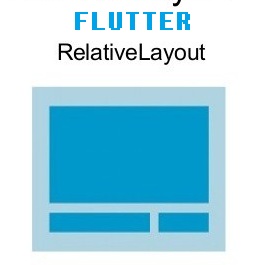
Flutter - Equivalent of RelativeLayout in Flutter

If you have worked with native Android application development. Then you definitely know about the Relative Layout. The Relative Layout is a very flexible layout that used for custom layout designing. It gives us the flexibility to position a view based on the relative or sibling component’s position.
flutter relative layout alternative widget
In Flutter, we can design a screen with the help of StatelessWidget and StateFulWidget. So, if you are thinking such kind of layout in Flutter Application. Then you can use Column, Row and Stack widgets to design your application screen in Flutter. Flutter layouts are usually built using a tree of these widgets. These widgets take constructor arguments that specify rules for how the children are laid out relative to the parent, and you can also influence the layout of individual children by wrapping them in Expanded, Flexible, Positioned, Align, or Center widgets that are explained here

Share:

Monday, January 28, 2019

Android - Introduction and Example of Jetpack Navigation Architecture.

Today, All mobile application contains more than one screens to provide all necessary feature to the end users. Like user can move from splash screen to home screen.

jetpack-navigation-architecture-graph
From this home screen, the user can perform other tasks that show a result in other screens. These screens will usually take the form of activity and fragment within the app. An end user can navigate on all other screens with the help of screen gestures, button clicks, and menu selections. All of the work involved in navigation between destinations and stack that is handled by a navigation controller. Without navigation, we have to write a very big manual code to move from one screen to another screen that creates complex navigation paths.
Share:

Saturday, January 19, 2019

Flutter - GET and POST http requests

To get dynamic data in a mobile application. We need to connect with a server to get and post some data. To achieve it, we always use HTTP to perform curl requests and create a connection between applications and server at a certain period to send or receive the data request from an application to the server.

Flutter providing us http to connect a mobile application with a server to perform GET, POST and other requests. POST and GET are two most commonly used HTTP methods for request and response between the client and the server. GET method basically requests data from a specified resource, whereas Post method submits data to be processed to a specified resource.

If you are looking some advance http client to handle interceptors, logs, cache etc. Then you should try Dio http client that we have explained here: Flutter - Dio client to create Http Request

Share:

Wednesday, December 26, 2018

Flutter - Firebase cloud storage example

In mobile applications, you may notice image, video and other files that attract users and provide a better utility. These files are stored on the cloud. Cloud file storage is a storage service that is delivered over the internet.
Flutter firebase storage and database
Cloud file storage is most appropriate for unstructured data or semi-structured data, such as documents, spreadsheets, presentations, and other file-based data. There are several cloud storage providers with different features and price plans like AWS, Dropbox, Firebase storage etc.

In this post, we are going to see how you can upload a image on Firebase storage in a Flutter Application. In fact not only images you can use this firebase storage tutorial to upload any kind of file to firebase storage. I’ll explain, how you can create a Flutter application with a file upload feature that allows users to upload a image file from camera and gallery to cloud and display uploaded files in a grid list. For this, I’ll use Firebase cloud storage which can be accessed using Firebase SDK for cloud storage.
Share:

Sunday, December 16, 2018

Flutter - Auto JSON serialization and deserialization like GSON.

To make a big application, we always need some rest API's to provide a dynamic feature to the user. These API often supports JSON as a data format for communication through HTTP protocol.

flutter-json-serialization-deerialization
If you have worked with native Android application development. You definitely missing those POJO classes in Flutter. After hit a request to the server, the server will return a JSON string. If you want to use data flexibly, we need to convert the JSON string into an object.

Share:

Get it on Google Play

React Native - Start Development with Typescript

React Native is a popular framework for building mobile apps for both Android and iOS. It allows developers to write JavaScript code that ca...